Level Up Your Feed with Instagram Canva Templates
If you scroll through the most successful Instagram accounts right now, you will notice a distinct lack of random clutter. Whether it is a boutique bakery, a freelance photographer, or a life coach, the top performers share a common secret: consistency. They don't just post "whatever." They use a curated system of visuals that makes their grid look professional, inviting, and trustworthy. This is exactly where the Instagram Canva Templates Post collection comes into play. It is not just a set of pre-made graphics; it is a foundational toolkit designed to bridge the gap between a messy feed and a cohesive digital brand identity.
Understanding the Aesthetic: Modern Typography Meets Clean Design
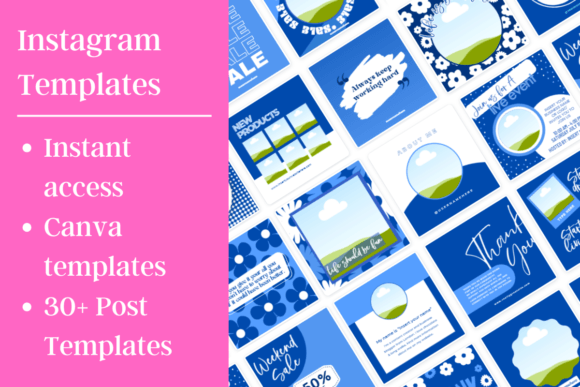
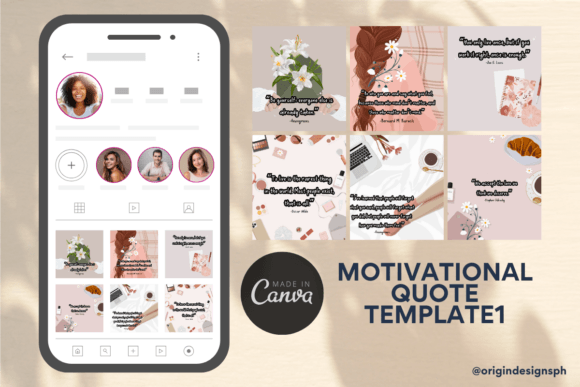
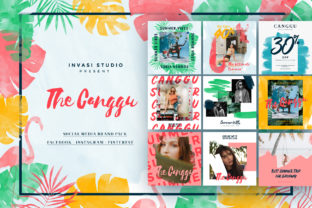
The visual language of these templates speaks directly to current design trends while maintaining a timeless appeal. You are not dealing with cluttered, over-designed layouts here. Instead, the aesthetic relies on negative space, strategic alignment, and high-contrast elements. The templates often feature bold typographic choices—think strong sans serif headers paired with delicate script accents—that create an immediate visual hierarchy.
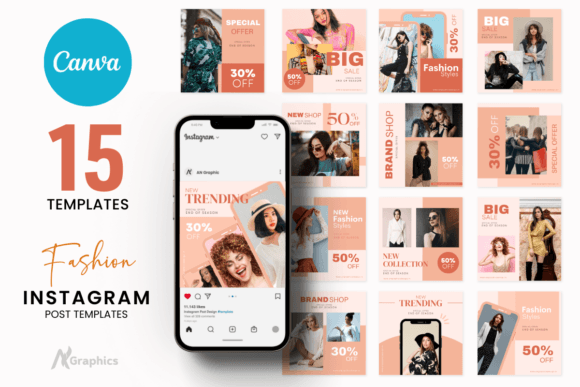
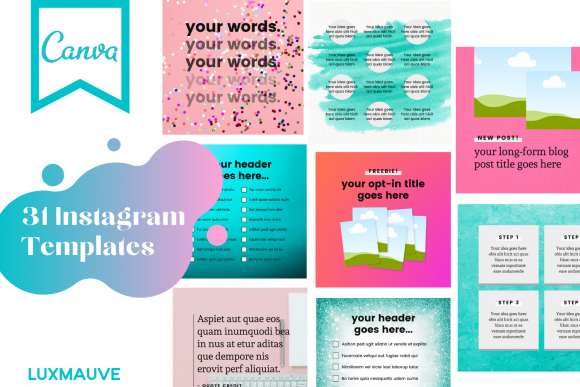
The "personality" of the Instagram Canva Templates Post range is versatile, but it leans heavily into modern minimalism. This style acts as a canvas for your own content. Whether you are a crafter showcasing handmade goods or a marketing agency sharing tips, the design does not compete with your message. It supports it. The visual characteristics prioritize clarity. You will find layouts that use distinct blocks for imagery and text, ensuring that your audience knows exactly where to look. This approach is crucial for social media graphics, where you have roughly three seconds to grab a user's attention before they scroll past.
The Mechanics of Customization
One of the biggest hurdles for small business owners and content creators is the software learning curve. You might have great ideas, but translating them into pixel-perfect designs in complex software like Photoshop is a barrier. That is why these templates are built specifically for Canva.
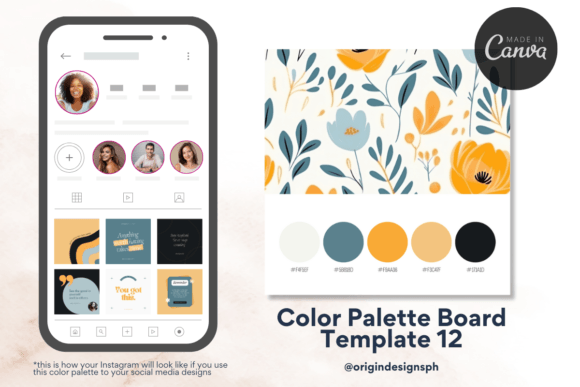
The process is stripped down to the essentials. You do not need to be a graphic designer to use them. Once you have your free Canva account set up, the workflow is incredibly intuitive. You receive immediate access to a PDF with your links. From there, the editing power is in your hands. This is where the real value lies for entrepreneurs and hobbyists alike. You can swap out the placeholder images for your own high-resolution photos. If the brand guidelines for your bakery require a specific shade of pastel blue, you can change the hex code in seconds. If the handwritten font feels too casual for your law firm client, you can switch it to a rigid serif font with a single click. This level of flexibility ensures that the templates serve as a starting point, not a rigid cage.
Strategic Applications: Beyond the Single Post
When we talk about design assets, we often limit our thinking to a single application. However, the utility of a well-designed Instagram Canva Templates Post extends far beyond a static square on your feed.
Consistency Across Channels
Brand perception is built on repetition. If your Instagram looks polished but your newsletter headers look like an afterthought, you create cognitive dissonance for your audience. Because these templates are editable in Canva, you can easily adapt them. Resize an Instagram story template for a Pinterest pin or a Facebook cover. By using the same color palette and font pairings across all platforms, you reinforce your brand identity. This consistency signals professionalism to potential clients. It tells them that you pay attention to details, which translates to trust in your service or product.
Creating Visual Hierarchy for Marketing
For marketers and publishers, the layout of information is just as important as the information itself. A dense paragraph of text on Instagram is a death sentence for engagement. These templates solve the readability problem through structure. They utilize headings, subheadings, and bullet points effectively. For example, a carousel post template might use a bold display font for a "hook" on the first slide, followed by clean sans serif text on subsequent slides for the details. This guides the viewer's eye naturally. It creates a rhythm that encourages them to swipe through to the end, boosting your engagement metrics organically.
Practical Guidance for Designers and Entrepreneurs
Choosing the right assets for your project requires a bit of strategy. While the Instagram Canva Templates Post collection is versatile, getting the most out of it requires a thoughtful approach to implementation.
Evaluating Project Fit
Before you start editing, look at the visual personality of the template against your brand's voice. Is your brand voice authoritative and serious? Look for templates that use strong geometric shapes and sans serif typography. Is your brand voice whimsical and artistic? Lean towards templates that incorporate organic shapes, script fonts, and softer color palettes. Don't try to force a template to be something it is not. Select the design that feels like a natural extension of your existing brand assets.
Testing Font Pairings
Typography is the voice of your design. The templates come with suggested font pairings, but you should feel empowered to experiment. A common best practice in editorial design and packaging design is to contrast a heavy, bold header with a light, airy body text. If you change the fonts, ensure you maintain this contrast. If you use two fonts that are too similar (e.g., two slightly different sans serifs), the design can look like a mistake rather than a choice. Use the "Styles" tab in Canva to preview different combinations quickly, but always prioritize readability above style.
Readability and Accessibility
In the rush to look "cool," many creators sacrifice legibility. This is a critical error. When customizing your Instagram Canva Templates Post, pay close attention to text size and color contrast. Light grey text on a white background might look elegant, but it is nearly impossible to read on a phone screen in bright sunlight. Ensure your text stands out sharply against the background. This is especially important for call-to-action text. If your audience can't read the link or the instruction, the post has failed its commercial purpose.
Maximizing Your Investment
Think of these templates not as a one-time purchase, but as a reusable framework. The ability to edit and reuse them as many times as you like is a massive advantage for content creators who need to post frequently. You can create a "master" version of a template for your weekly tips, another for your customer testimonials, and another for product launches.
For graphic designers working with clients, this is also a time-saver. Instead of building every social media post from scratch, you can present a client with a set of cohesive templates based on their brand identity. This allows you to scale your output without sacrificing quality. It is a practical solution to the endless demand for fresh content.
Ultimately, stepping up your Instagram game is about removing friction. It is about having a system in place so that when inspiration strikes—or when a deadline looms—you are ready. The Instagram Canva Templates Post provides that system. It combines modern design principles with the accessibility of free software, empowering you to build a feed that looks as professional as the work you do.