Colorful Notepad Templates: Your All-in-One KDP Interior Solution
Why These Templates Are a Game-Changer for Creators
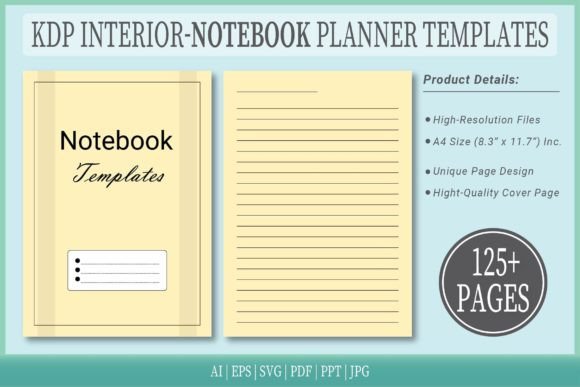
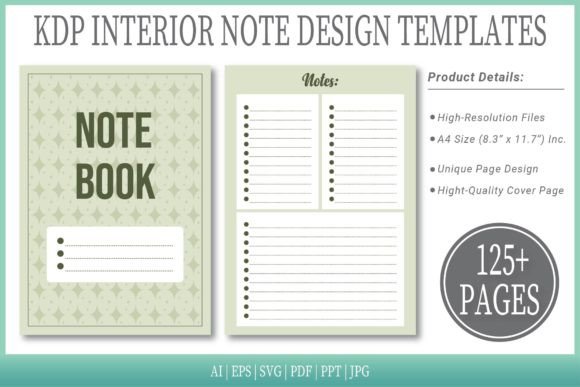
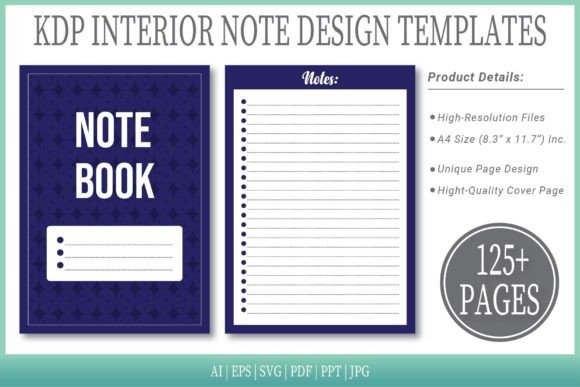
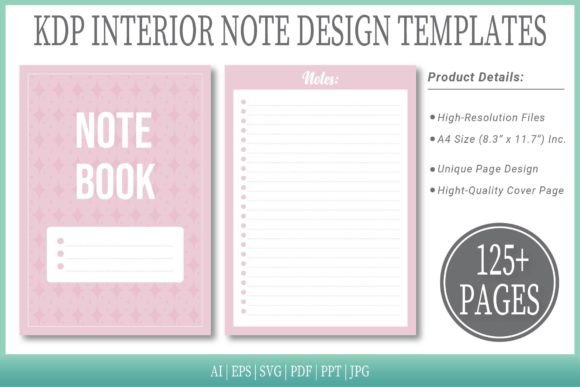
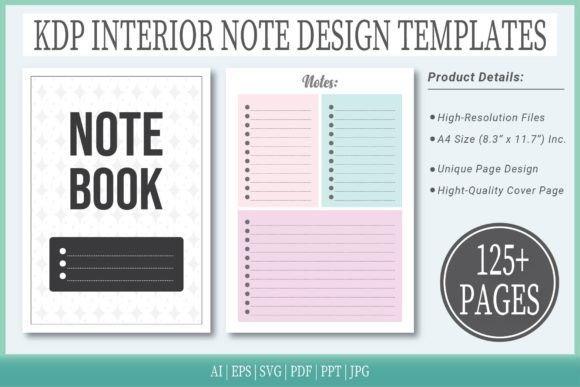
If you’ve ever tried to design a notebook interior from scratch, you know the drill: fiddling with margins, aligning lines, choosing a color palette, and then exporting everything in the right format. It’s time-consuming, and the results can look amateurish if you’re not a seasoned designer. That’s where Colorful Notepad Templates come in. These aren’t just pretty pages—they’re a complete, production-ready system designed to get your project from idea to Amazon KDP with minimal fuss. The templates offer a vibrant, modern aesthetic that feels fresh and engaging, perfect for journals, planners, sketchbooks, or any project where visual appeal matters. With 125 pages of high-resolution interiors, you get a substantial canvas to work with, whether you’re creating a personal journal or a commercial product line.
What’s Inside the Download: More Than Just a PDF
The real value here lies in the flexibility of the files. You’re not just getting a static PDF; you’re getting the source files in multiple formats: AI, EPS, SVG, PDF, PPT, and JPG. This means you can customize every element in Adobe Illustrator, tweak layouts in PowerPoint, or use the vector files in other design software. The A4 size (8.3″ x 11.7″) is a standard that works well for both print and digital, and the no-bleed setup simplifies the KDP upload process. Each file is optimized for its purpose—high-resolution for print, editable for customization, and ready-to-go for quick publishing. The extra cover page is a thoughtful touch, giving you a head start on creating a cohesive product.
Practical Applications for Different Creators
For entrepreneurs and small business owners, these templates are a shortcut to creating branded stationery. Imagine offering a custom notebook as a freebie with purchase or selling it as part of your product line. The colorful designs can be adapted to match your brand colors in Illustrator, making it easy to maintain brand consistency. Bloggers and content creators can use them to design printable planners or lead magnets that stand out in a crowded market. The vibrant style catches the eye in social media graphics and digital listings, which can boost engagement and conversions.
Designers and marketers will appreciate the professional finish. The templates are built with clear visual hierarchy in mind—lines are spaced for readability, colors are balanced to avoid overwhelming the user, and the overall layout supports both writing and sketching. This isn’t just a pretty notebook; it’s a functional tool that enhances user experience. For publishers, the multiple format options mean you can easily adapt the interiors for different projects—perhaps a series of themed journals or a planner with custom sections. The included styles offer variety, so you can choose a design that fits your project’s personality, whether it’s playful, professional, or minimalist.
Design Considerations and Font Pairing Tips
While the templates focus on interior design, the right typography can elevate the final product. If you’re adding custom text—like chapter titles, prompts, or branding—choose a font that complements the colorful, modern aesthetic. A clean sans-serif font like Montserrat or Open Sans works well for headings, offering a contemporary feel without competing with the vibrant backgrounds. For body text or prompts, a readable serif font like Lora or a friendly handwritten font like Caveat can add personality while maintaining clarity. Avoid overly decorative fonts for large blocks of text; readability is key in a notepad where users will be writing or reading quickly.
When testing font pairings, consider the overall tone. The Colorful Notepad Templates have a lively, energetic vibe, so fonts that are too formal or rigid might clash. Instead, lean toward typefaces with a bit of warmth or character. For example, pairing a bold display font for the cover with a simple sans-serif for interior headings creates a balanced hierarchy. If you’re using the templates for a branded product, ensure your chosen fonts align with your existing brand identity—this consistency reinforces recognition and professionalism.
Evaluating Project Fit and Licensing
Before diving in, think about your project’s goals. These templates excel in projects where visual impact and ease of use are priorities. They’re ideal for print-on-demand products, digital downloads, or promotional items. However, if you need a highly customized layout with complex graphics or specific margin requirements, you might need to do additional editing in Illustrator. The good news is that the source files give you that flexibility.
Commercial licensing is another key consideration. The templates are ready for upload to Amazon KDP, which means they’re designed for commercial use. You can sell the final products without worrying about licensing issues, but always double-check the terms if you plan to use them in mass-produced items or third-party platforms. For most creators—whether you’re selling on Etsy, your own website, or Amazon—the included rights should cover your needs.
Maximizing the Templates for Different Formats
Don’t limit yourself to just notepads. The versatile design can be adapted for various formats. Use the PDF for quick digital downloads or printables. The AI and EPS files are perfect for creating custom covers or adding intricate designs. The SVG format is handy for web-based projects or if you prefer working in vector software like Affinity Designer. Even the PPT file can be useful for mockups or presentations where you need to showcase your product.
For social media graphics, the JPG files provide ready-made visuals that you can tweak in Canva or Photoshop. This is especially useful for creating promotional images that highlight the notebook’s colorful interior. Consistency across your marketing materials strengthens your brand presence, so use the same color palette and style from the templates in your ads, emails, and social posts.
Final Thoughts on Getting Started
The beauty of Colorful Notepad Templates is their balance of aesthetics and practicality. They save you time, offer professional results, and give you the tools to customize as needed. Whether you’re a crafter looking to sell unique journals, a marketer creating branded giveaways, or a publisher expanding your product line, these templates provide a solid foundation. Start by exploring the different formats, test a few font pairings, and consider how the designs align with your audience’s preferences. With 125 pages and multiple file types, you have plenty of room to experiment and create something that truly stands out.